Batch product photos
A reviewed image set for every product in your batch.
Bring your original product photos, grouped by folder or filename with SKUs. Generate and approve white-background main images first, then create scenes and close-ups for Amazon, Shopify, or Etsy. Review each image, keep candidate history, and export approved results by SKU.
FaFaFa AI Workspace
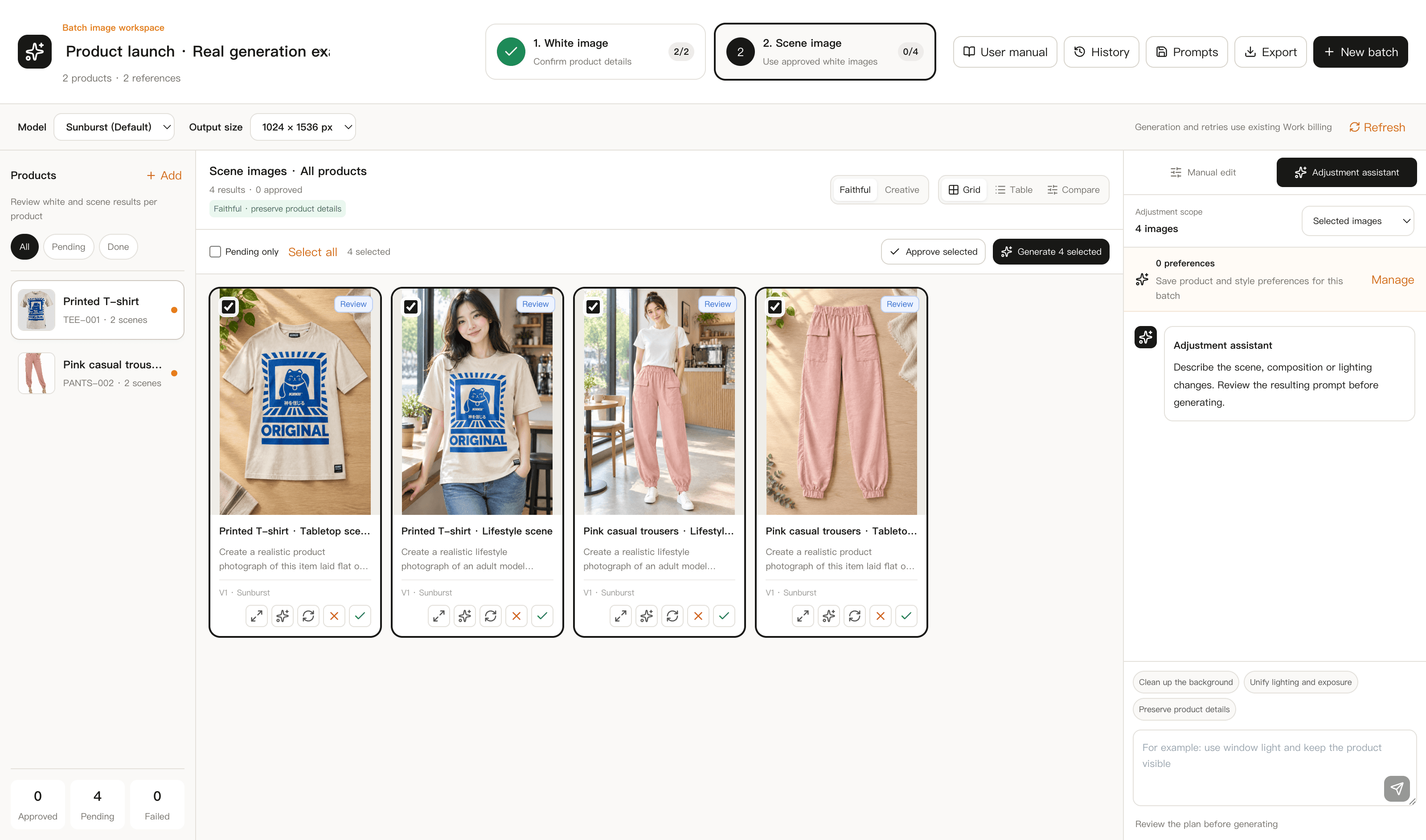
Your review decides what gets exported
The ZIP includes the latest approved version of each image group. Download files before their roughly 2-day expiry.
Keep each product together from import to export
Group the references, check the product appearance, and review the scenes before delivery.
Import by folder or filename and enter SKUs
Compare each result and keep earlier candidates when retrying
Export approved images with product or SKU filenames
White backgrounds first. Scenes next.
An approved white-background image becomes the input for that product’s scenes. Review product details at both stages.
01
White-background photos
Generate a clean product view. Compare color, shape, proportions, branding, and materials with the original before approving it.
02
Scene photos
Set scene names and prompts for your batch. Generate from approved white-background images and check for occlusion or altered product details.
03
Review and rework
Zoom and scroll the input and result together. Reject unsuitable images, edit prompts, retry, and choose from candidate versions.
Four steps from product photos to delivery
- 1
Import and group
Choose images or folders. Check each product’s original and supporting references, name, and SKU. Uploading does not start generation.
- 2
Approve white backgrounds
Choose a model and output size. Generate white-background photos, compare them with the originals, and approve usable results.
- 3
Review and rework scenes
Generate scenes from approved white-background photos. Compare each result and retry with revised prompts while retaining earlier versions.
- 4
Export by product or SKU
Download a ZIP with product or SKU filenames, or batch/product folders. Only the latest approved, unexpired version of each image group is exported.
For recurring product photo tasks
New product batches
Organize the original photos for multiple products and carry their names and SKUs through review and export.
Consistent scene sets
Use a shared scene plan across products, then revise individual prompts where the result needs work.
Rework and delivery
Compare older candidates, approve the version you want, and package the reviewed results for your listings.
Product photo questions
Can I generate without signing in?+
No. You can browse this page and the guide publicly. Import, generation, review, and export happen in the signed-in workspace.
Can I generate white backgrounds and scenes together?+
Approve a white-background image for each product first. You can then generate that product’s scenes and close-ups using your scene prompts.
Does rejecting an image start a retry?+
No. Rejection records your review notes. Edit the prompt and start a new generation separately. Retries consume credits, preserve previous candidates, and produce new results that need review.
Which images are exported, and how long are they available?+
The ZIP includes the latest approved, unexpired version of each image group. Rejected and unapproved images are excluded. Cloud files are available for about 2 days; download them before expiry. Batch history remains on your account.
Bring your next product batch
Import the photos you already have. Review the generated image set and export only the results you approve.