Quick tools
Split, compress, and upscale product shots
When you do not need full detail generation, run a focused tool in the browser. Sign in to upload and process.
FaFaFa AI Workspace
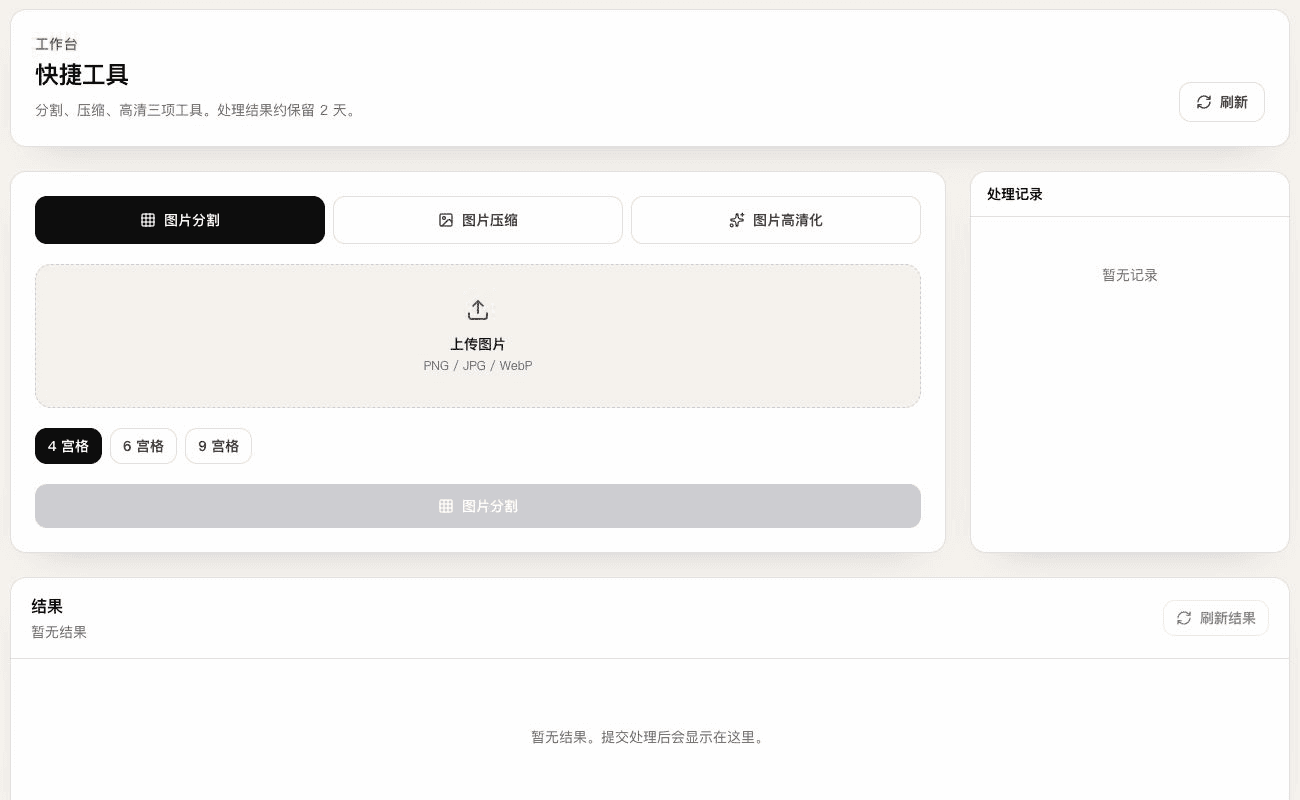
Built for short jobs
Each run creates its own job record. Results stay available for about 2 days.
Three frequent jobs in one workspace
The public page explains the tools. Upload and processing require the logged-in workspace.
Split, compress, and upscale as separate tools
Browser upload with no local folder dependency
Results available for about 2 days
What each tool does
Pick one tool for the current task, or use Product photos to generate and review a full batch.
01
Split
Cut into 4, 6, or 9 tiles for detail layouts or multi-post assets.
02
Compress
Reduce file size for platform uploads while keeping usable quality.
03
Upscale
Sharpen soft or small product images before reuse.
How it works
- 1
Open the landing page or workspace
Share the landing page freely. Processing requires sign-in.
- 2
Choose a tool and upload
Pick split, compress, or upscale, then upload the source image.
- 3
Track the job
Split and compress usually return quickly. Upscale jobs refresh after submission.
- 4
Download the result
Download successful outputs and note the about-2-day availability window.
Common uses
Slice long detail images
Cut one tall image into a grid for layout or staged uploads.
Shrink before listing upload
Compress when a marketplace rejects oversized files.
Rescue soft source photos
Upscale soft exports before using them in detail production.
Quick tools FAQ
Is sign-in required?+
Yes. The intro page is public. Upload and processing run in the logged-in workspace.
How is this different from batch product photos?+
Product photos groups references, generates white backgrounds and scenes, and exports reviewed results. Quick tools process existing images one operation at a time.
Is upscale instant?+
Upscale jobs are submitted and refreshed for status. Split and compress usually return faster.
How long are results kept?+
Processed files stay available for about 2 days. Re-run the tool after expiry.
Process one product image now
Sign in to the quick tools workspace and choose split, compress, or upscale.