USER MANUAL
Batch product photo review guide
Follow these six steps to turn product references into reviewed, ready-to-publish images.
Import → Approve white backgrounds → Generate scenes → Review and rework → Export by SKU
Before you start
Sign in and prepare your product references. Generation and retries consume credits according to the model; your available balance is shown in the header. Uploading does not automatically generate images.
Screenshots show the current workspace with real examples generated using the configured Sunburst model. Open screenshots at full size, or inspect the references and full results below.
STEP 01 / 06
Create a batch and upload products
Group your product references and plan your scenes.
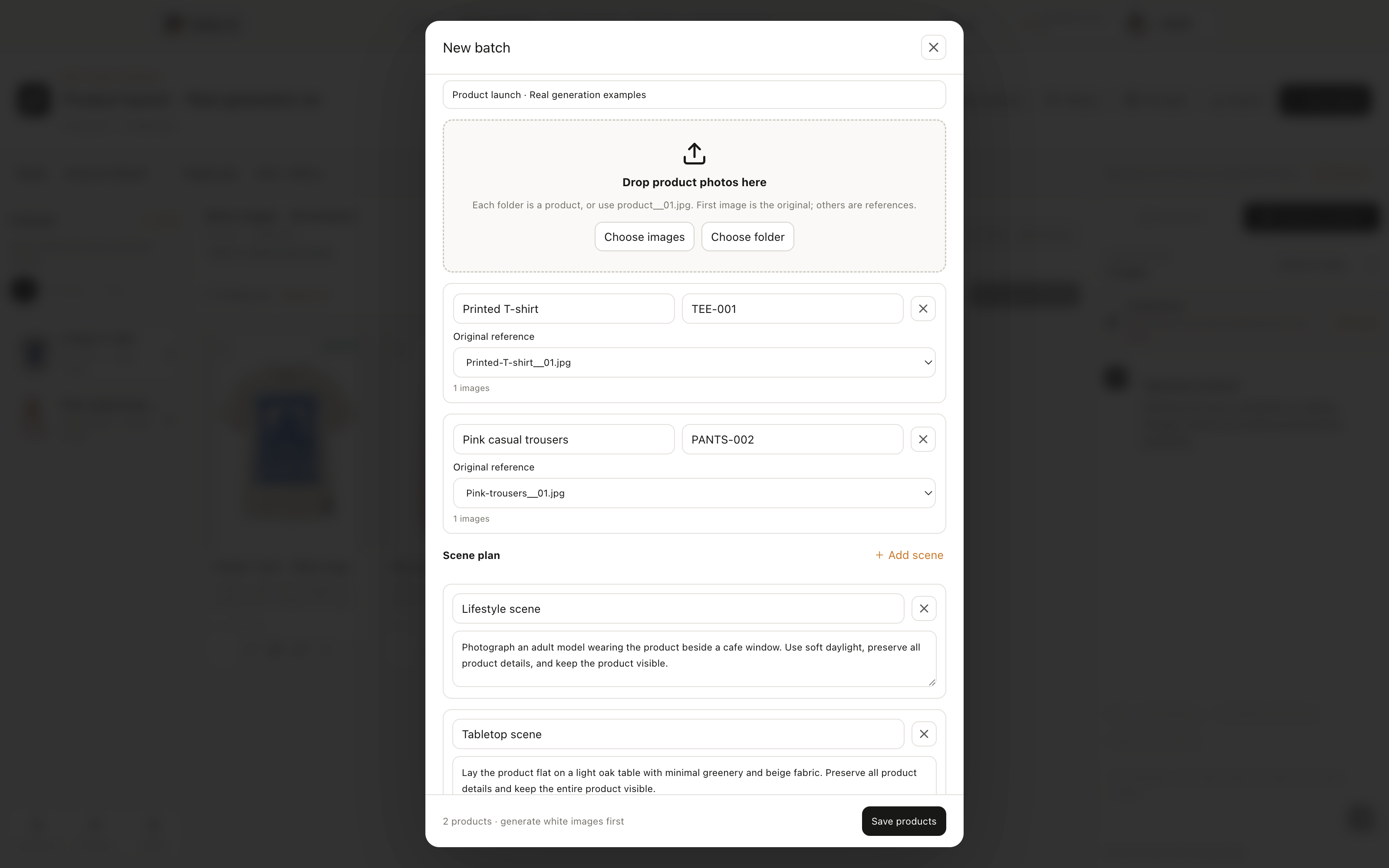
- 1Open Product photos, select New batch, and enter a batch name.
- 2Choose images or a folder. Each folder represents one product. Names such as product__01.jpg and product__02.jpg also group references for the same product.
- 3Check the product names, SKUs, and original references, edit the scene names and prompts, then select Save products. The first image in each group is the original by default; use the dropdown to change it.
Use JPG, PNG, or WEBP up to 20MB per image. Start generation separately after uploading.
Real generation examples
These six results were generated with the configured Sunburst model. White images use the original references; scenes use the generated white images. Select any image to inspect the full file. Compare product details before approving your own results.
Printed T-shirt




Pink casual trousers




Common questions
Why can’t I generate a scene?
Approve a white image for that product in the first stage. Any running task must also finish before it can be retried.
How are selection, approval, and generation different?
Selection chooses targets. Approval marks a result as reviewed and eligible for export. Generation creates a new result and consumes credits. These are separate actions.
Why is an image missing from the ZIP?
Check its approval and expiry, and whether another version in the same group was approved later. Only the most recently approved valid version of each group is exported.